Free sample IB Design Technology question paper (new 2027 syllabus)
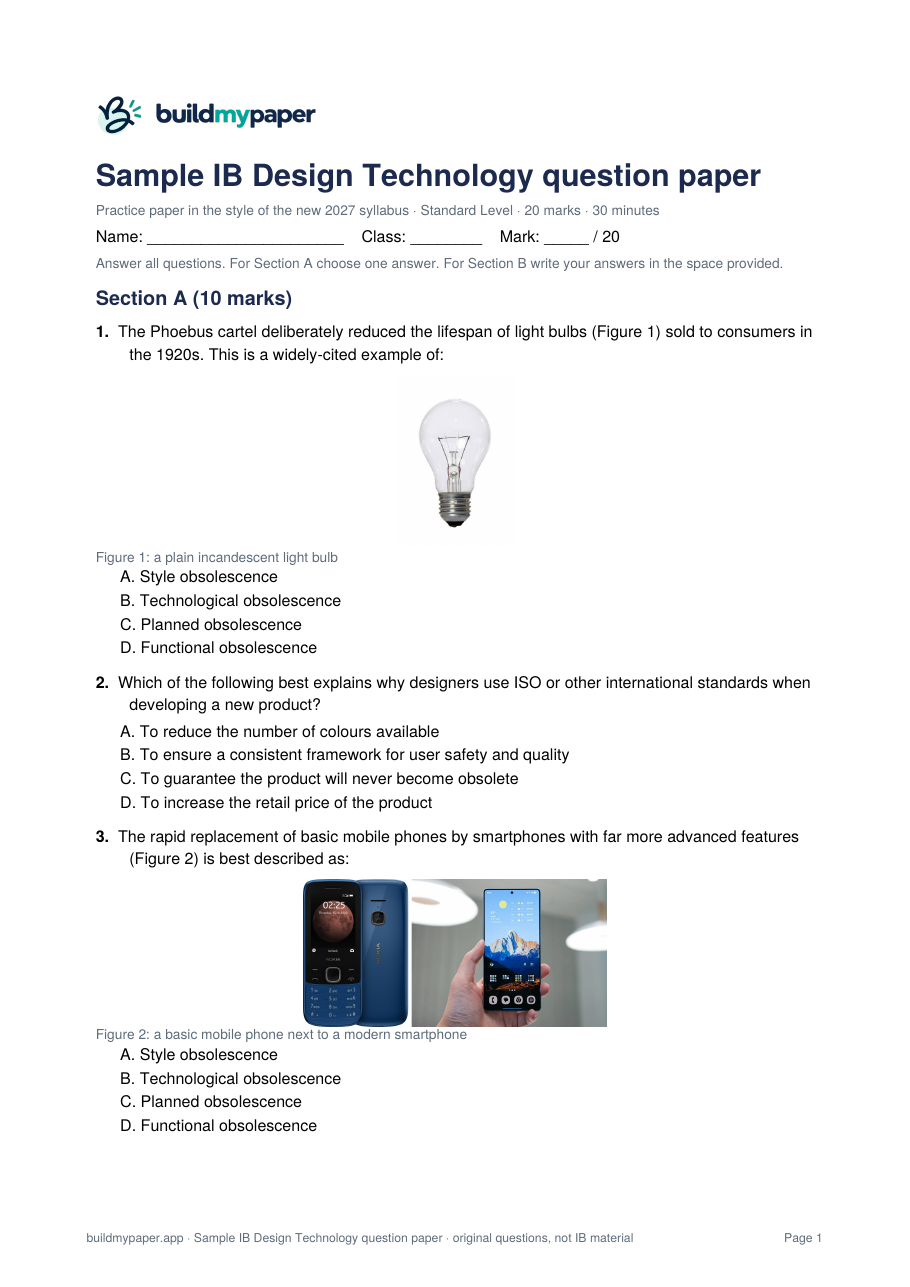
A ready-to-print IB DT practice paper for the new 2027 syllabus, with a full markscheme: 10 multiple-choice questions and one case study. Original questions, not copied from past papers.
No sign-up needed to download. Standard Level · 20 marks · about 30 minutes. buildmypaper is not affiliated with the International Baccalaureate.
Welcome to buildmypaper
Tools made by teachers for IB Design Technology. A quick look at what you can build.
What is in the sample paper
Everything you need to run a short practice test in class or set a revision task.
10 multiple-choice questions
Across sustainability and obsolescence, the design process and user research. Four of them use a figure.
One case study
A toy car case study with three written questions of 3, 3 and 4 marks, and a photograph.
Full markscheme
Answer key for Section A and marking points with notes for every written question.
Need more than one paper?
buildmypaper builds a different Design Technology paper every time.
1. Pick your topics
Choose subtopics and question types, and set your own marks.
2. Build the paper
The questions and the matching markscheme are assembled for you.
3. Download and edit
Export an editable Word file to print or share with your class.
Everything else buildmypaper can do
Exam papers are one part. buildmypaper is a set of tools made by teachers for IB Design Technology, for DP, MYP and whole departments.
For DP Design Technology Live today
Free to start, no card needed. Free accounts include these with limits.
myPaper
Exam papers in one click
- SL or HL, multiple-choice or full papers
- Questions grouped by topic, with the markscheme
- Export to PDF, or Word on Teacher Pro
myIA
Feedback on the Design IA, strand by strand
- Track each student through the IA criteria
- Write feedback guided by the criteria
- Share a feedback sheet by link or QR code. Student work is never uploaded
myGlossary
Make the IB terms stick
- Flashcards, Match and Quiz on a syllabus topic
- Students join with a link and a nickname, no sign-in
- See what each class got right first time
mySyllabus
Track what you have taught
- Every understanding in the IB DT syllabus, topic by topic
- Tick each one, or a whole sub-topic at once
- Saved to your account, so you can carry on from any device
myAgenda
Where you organise your work
- Your own tasks on a To do, Doing and Done board
- Mark a task as Urgent
- Tasks from your HOD and from meetings appear here too
For MYP Design Opening soon
Sign up for a free account and we will tell you first.
myClasses
Run your MYP classes
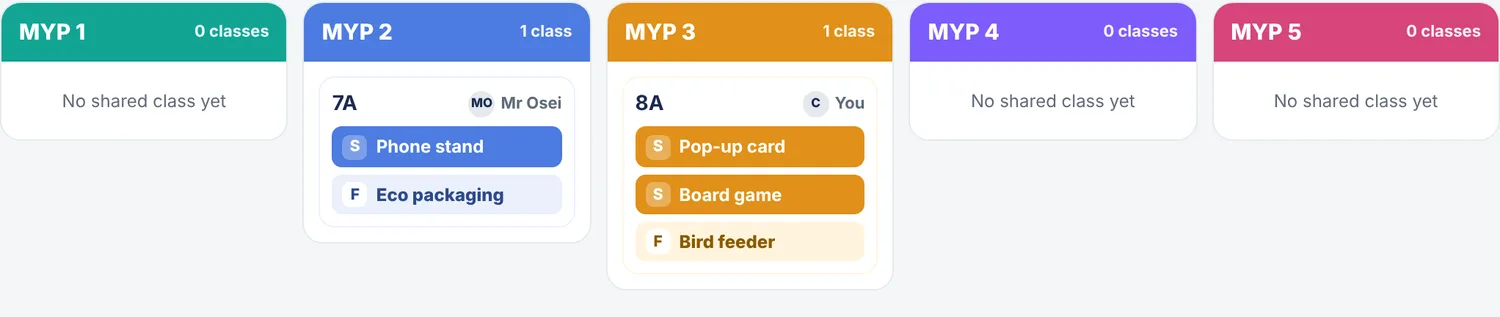
- Create a class and add a unit, or pick one from your library
- Mark students on criteria A to D and write feedback for each
- Send chosen e-portfolios to your department for moderation
myUnits
Your library of MYP units
- Create units once and keep them in one place
- Filter by MYP year
- Drag a unit onto a class to use it there
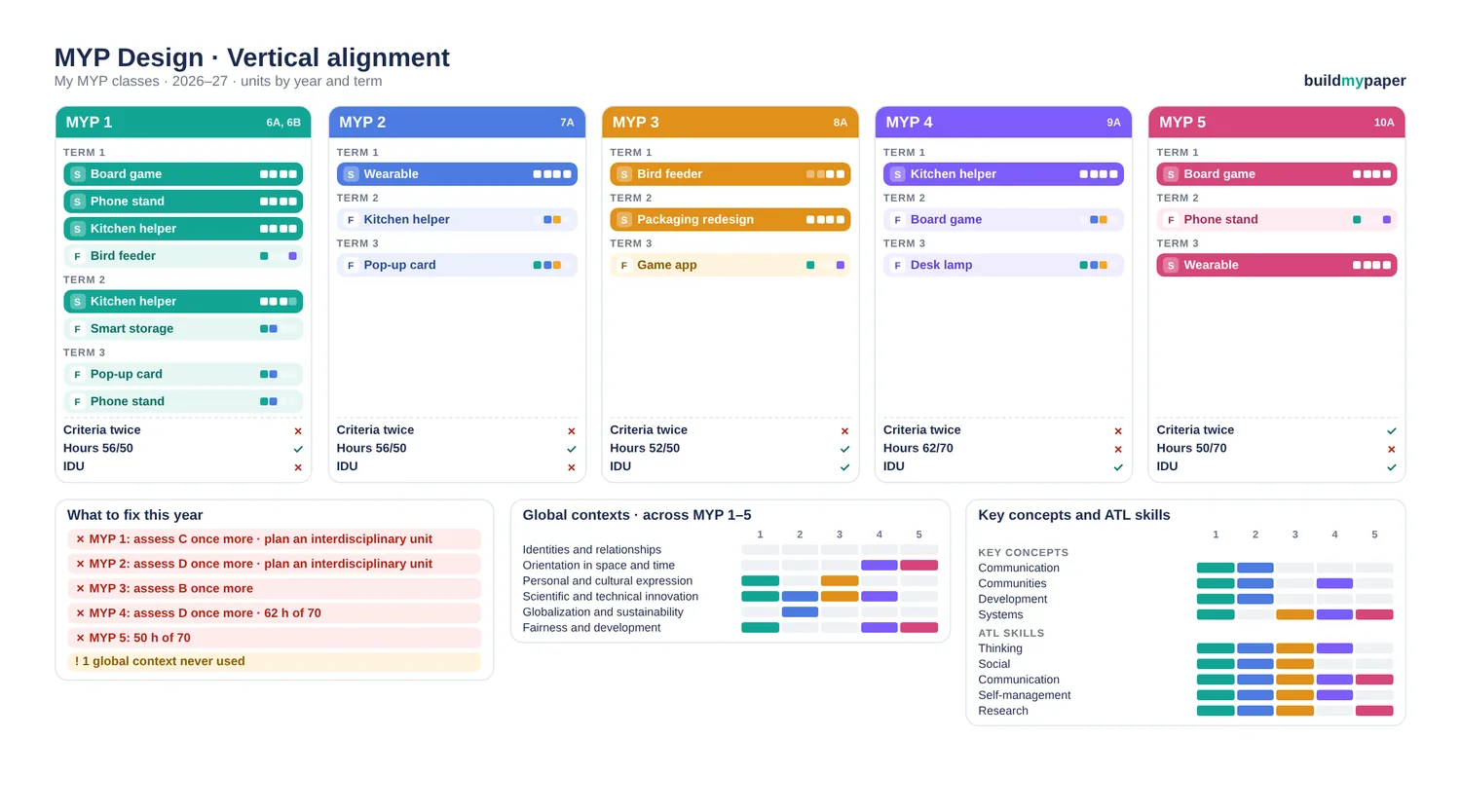
Vertical alignment
See your MYP Design plan across years 1 to 5
- Shows how units and skills build year on year
- Spot gaps and repeats
- Print it or share it with your department
myActivities
Practice activities for MYP classes
- Flashcards, Match and Quiz on key terms and command terms
- Share a link; students type a nickname
- See how each student did
myDepartment School Pro
Run MYP and DP across your department. The head of department invites the team and sees every year at a glance.
Shared planning
One space for the whole team
- Share classes and units across your department
- Vertical planner, MYP 1 to 5, built automatically
- Plans only, no marks or student names
Moderation and calendar
Agree the marks, avoid the clashes
- Easy moderation of MYP e-portfolios
- Department calendar and deadlines
- Warns when summatives pile up in a week
HOD tools
Run the department
- Agenda, minutes, tasks and requests
- Projects and materials, costed
- Evaluation visit document, one-click export
Frequently asked questions
Is this a real IB past paper?
No. The questions are original and were written for practice. They follow the style of the IB Design Technology course, but they are not IB material and buildmypaper is not affiliated with the International Baccalaureate.
Is this sample for SL or HL?
The sample is written at Standard Level. The paper builder lets you choose the level and topics when you build your own paper.
Does it match the new 2027 syllabus?
The questions are tagged to the topic structure of the new Design Technology guide (for example C2.1 Design for sustainability and A2.1 User-centred research methods). Always check against the current IB subject guide for your cohort.
Can I edit the questions or change the marks?
In the paper builder you can pick topics and question types, set your own marks, and download an editable Word file. The sample download here is a fixed PDF.
Is it free?
The sample paper and markscheme are a free download, with no sign-up. The paper builder has a free plan, and Teacher Pro unlocks the full question bank.